




GitHub vs GitLab Pricing: Developer Platform Costs (2026)
Choosing between GitHub and GitLab means making a bet on your development infrastructure for years. Both platforms offer version control, CI/CD pipelines, and security scanning, but their pricing philosophies diverge wildly. GitHub wins on per-user cost for most teams. GitLab bundles everything into one platform and charges premium pricing for teams that want DevOps, security, and release management in a single interface.
This comparison cuts through the pricing noise and shows you exactly when to pick which platform.
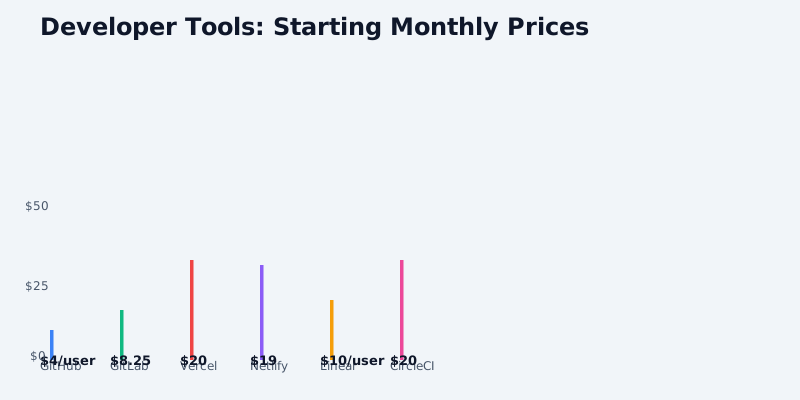
Quick Pricing Snapshot
GitHub 2026 Pricing (USD):
Get the free SaaS Pricing Playbook
How 500+ SaaS tools really price themselves. Pricing tier breakdowns, hidden costs, negotiation tactics. PDF-ready guide delivered to your inbox.
Free forever. No spam. Unsubscribe anytime.
- Free: $0/month (unlimited public/private repos, 2,000 CI/CD minutes/month)
- Team: $4/user/month (3+ users, 3,000 CI/CD minutes/month)
- Enterprise: $21/user/month (advanced security, SAML/SSO, 50,000 CI/CD minutes/month)
- Copilot add-on: $10/month (individual) or $39/month (Team/Enterprise)
GitLab 2026 Pricing (USD):
- Free: $0/month (5-user limit, 400 CI/CD minutes/month, public projects unlimited)
- Premium: $29/user/month (unlimited users, 10,000 CI/CD minutes/month, advanced CI/CD)
- Ultimate: $99/user/month (unlimited everything, advanced security scanning, compliance, self-hosted option)
- Self-hosted Community Edition: $0/month (open source)
The headline difference is stark: GitHub's free tier is genuinely free and unlimited. GitLab's free tier caps out at 5 users. For teams with 5+ developers, GitHub's per-user cost is roughly one-quarter of GitLab's, making GitHub the default choice for most organizations. But GitLab's bundled model eliminates tool sprawl, so we need to dig deeper.
Free Tier Comparison
GitHub Free ($0)
- Unlimited public and private repositories
- Unlimited collaborators
- 2,000 Actions minutes/month (GitHub's CI/CD runner)
- Community support (no SLA)
- Basic branch protection rules
- Dependabot vulnerability scanning (public repos)
- Code search across all public repos
- Public Pages (static site hosting)
- GitHub Marketplace integrations (free tier)
GitLab Free ($0)
- Unlimited public projects (stored on GitLab servers)
- Maximum 5 members per private project
- 400 CI/CD minutes/month on shared runners
- Community support only
- Merge request approvals (basic)
- Public wiki and issue boards
- GitLab Pages (static hosting)
- Limited integrations (free tier)
Winner: GitHub by a massive margin. GitHub's free tier supports unlimited users and developers. GitLab's 5-user limit becomes a blocker the moment your team grows beyond a single squad. For any team larger than 5 developers, GitHub is already cheaper (free vs. pay per user).
Team/Premium Tier Comparison (5-50 User Teams)
This is where most growth-stage companies operate.
GitHub Team: $4/user/month = $48/month for 12 users
- Everything from Free
- 3,000 Actions minutes/month (50% more than free)
- Code owners (enforce review requirements)
- Required reviewers
- Dismiss stale pull request approvals
- Branch protection rules (advanced)
- Team-level discussions
- Priority support (business hours)
GitLab Premium: $29/user/month = $348/month for 12 users
- Unlimited project members
- 10,000 CI/CD minutes/month (25x more than free)
- Advanced merge request rules (multiple approvers, required signatures)
- Code review analytics
- Security dashboards (SAST, dependency scanning)
- Audit logs and compliance exports
- Time tracking and burndown charts
- Advanced project management (epics, roadmaps)
- Email support (24 hours SLA)
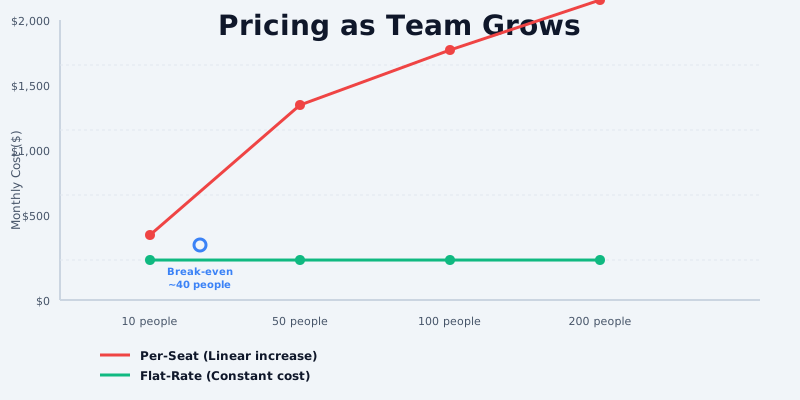
Cost difference at 12 users: GitHub $48 vs GitLab $348 = $300/month ($3,600/year) in favor of GitHub
Cost difference at 50 users: GitHub $200 vs GitLab $1,450 = $1,250/month ($15,000/year) in favor of GitHub
The GitHub advantage is crushing here, but context matters. If your team is already paying for separate tools to handle code review, security scanning, and project management (Jira, Snyk, SonarQube, etc.), GitLab bundles these into one platform. Let's calculate real ecosystem cost.
Enterprise/Ultimate Tier Comparison (50-500 User Teams)
GitHub Enterprise: $21/user/month = $1,050/month for 50 users
- Everything from Team
- 50,000 Actions minutes/month
- SAML/OIDC single sign-on
- IP allowlisting
- Advanced security features (code scanning, secret scanning)
- Security policy enforcement
- Custom domain Pages
- Dedicated support (with named technical account manager)
- GitHub Advanced Security add-on: $45/user/month for advanced threat detection, secret scanning, dependency scanning
- GitHub Copilot integration: +$10–39/user/month
GitLab Ultimate: $99/user/month = $4,950/month for 50 users
- Everything from Premium
- Unlimited CI/CD minutes on shared runners
- Advanced security scanning (SAST, DAST, container scanning, license compliance)
- Compliance features (audit logs with retention, change log export)
- Incident response management with on-call scheduling
- Release orchestration
- Portfolio management and resource planning
- Advanced DevOps workflows (deployment boards, error tracking)
- SLA-based support (4-hour response)
- Self-hosted option (on-premises or private cloud)
- GitLab Duo (AI-powered code suggestions): Included
Cost difference at 50 users: GitHub $1,050 + GitHub Advanced Security ($2,250) = $3,300 vs GitLab $4,950
Cost difference at 100 users: GitHub $2,100 + Advanced Security ($4,500) = $6,600 vs GitLab $9,900
GitHub wins on pure seat cost. But GitLab includes security scanning, release management, and compliance features that GitHub charges separately for via Advanced Security ($45/user/month). If you add GitHub Advanced Security, the cost gap narrows-but GitHub still wins at scale.
Real-World Scenarios: Total Platform Cost
Let's model actual ecosystem costs including integrations, CI/CD minutes overage, and third-party tools.
Scenario 1: 15-Person Early-Stage Startup
GitHub Baseline:
- 15 users × $4 Team = $60/month
- GitHub Actions overage (building 3-5 apps, 500 CI/CD mins/month per app = 2,500 mins needed): $0 (included in Team plan)
- Code review tooling (built-in): $0
- Security scanning: $0 (Dependabot included; Advanced Security not needed yet)
- External integrations (Slack, Jira, Linear): ~$100/month
- Total: $160/month ($1,920/year)
GitLab Baseline:
- 15 users × $29 Premium = $435/month
- CI/CD included (10,000 mins/month covers most needs)
- Security scanning included (SAST, dependency scanning)
- Project management features included (replaces some Jira cost)
- External integrations: ~$50/month (fewer needed)
- Total: $485/month ($5,820/year)
Verdict: GitHub wins by $325/month. The startup gets GitHub + Jira/Linear for the cost of GitLab alone.
Scenario 2: 50-Person Engineering Organization
GitHub Baseline:
- 50 users × $21 Enterprise = $1,050/month
- GitHub Actions overage (50 developers, ~200 CI/CD mins/day = 6,000 mins/month): $0 (50,000 included)
- GitHub Advanced Security (mandated): 50 × $45 = $2,250/month
- Copilot for teams (30% adoption): 15 × $39 = $585/month
- External tools (Jira, Snyk, SonarQube, PagerDuty): ~$800/month
- Total: $4,685/month ($56,220/year)
GitLab Baseline:
- 50 users × $99 Ultimate = $4,950/month
- CI/CD included (unlimited on shared runners)
- Security scanning included (SAST, DAST, container scanning)
- On-call scheduling included (replaces PagerDuty in some cases)
- Release orchestration included
- Jira replacement (project planning included): Save $200/month
- Snyk/SonarQube replacement: Save $400/month (scanning bundled)
- Total: $4,950/month ($59,400/year)
Verdict: Essentially tied when you factor in GitHub's ancillary costs. GitLab's bundled approach saves ~$1,700/month in tool sprawl, but GitHub wins on base seat cost. Choose GitHub if you're already invested in best-of-breed tools. Choose GitLab if you want a unified DevOps platform and can tolerate less specialization.
Scenario 3: 200-Person Mid-Market Enterprise
GitHub Baseline:
- 200 users × $21 Enterprise = $4,200/month
- Advanced Security (100 core devs only): 100 × $45 = $4,500/month
- Copilot (50% adoption): 100 × $39 = $3,900/month
- Jira, Snyk, SonarQube, PagerDuty, Datadog: ~$2,500/month
- Custom GitHub integrations/automation: ~$500/month
- Total: $15,600/month ($187,200/year)
GitLab Baseline:
- 200 users × $99 Ultimate = $19,800/month
- All scanning, release management, and on-call scheduling included
- Self-hosted option available (reduces external dependency)
- Jira replacement (in-house project management): Save ~$1,000/month
- Snyk/SonarQube/PagerDuty replacement: Save ~$2,000/month
- Total: $16,800/month ($201,600/year)
Verdict: GitHub still wins, but the gap narrows. At this scale, GitLab's unified ecosystem saves ~$3,000/month in tool sprawl, but GitHub's lower seat cost ($21 vs $99) and existing integrations give it a $1,200/month advantage. GitHub wins for cost-conscious enterprises. GitLab wins for teams that prioritize operational simplicity and don't want to manage 10+ separate vendor contracts.
CI/CD Minutes: A Hidden Cost Factor
Both platforms charge for CI/CD runner usage beyond their monthly allotments.
GitHub Actions:
- Free: 2,000 minutes/month
- Team: 3,000 minutes/month
- Enterprise: 50,000 minutes/month
- Overage: $0.008/minute (roughly $24 per extra 3,000 minutes)
GitLab CI/CD:
- Free: 400 minutes/month
- Premium: 10,000 minutes/month
- Ultimate: Unlimited on shared runners
- Overage: $1.40 per 1,000 minutes
Real impact: A team running 5,000 minutes/month would pay $0 on GitHub Team (included) vs $196/month on GitLab Premium (overages). GitLab Ultimate's "unlimited" removes this ceiling, making it attractive for CI/CD-heavy teams.
Security & Compliance: The Hidden Value
GitLab bundles advanced security scanning into Premium and Ultimate tiers. GitHub charges separately.
GitHub Advanced Security ($45/user/month includes):
- Code scanning (SAST)
- Secret scanning
- Dependency analysis
- Malware scanning
GitLab Premium ($29/user/month includes):
- SAST
- Dependency scanning
- License compliance scanning
- Container scanning (via registry)
GitLab Ultimate ($99/user/month includes):
- Everything above
- DAST (dynamic scanning)
- API security scanning
- Fuzz testing
- Compliance reporting (SOC 2, PCI-DSS, HIPAA-ready)
For security-conscious teams, GitLab Premium ($29) beats GitHub Team + Advanced Security ($4 + $45 = $49). GitLab's integrated scanning reduces false positives and context-switching that separate tools introduce.
Feature Parity Analysis
| Feature | GitHub Team | GitLab Premium | Winner |
|---|---|---|---|
| Private Repos | Unlimited | Unlimited | Tie |
| Collaborators | Unlimited | Unlimited | Tie |
| CI/CD Minutes | 3,000/mo | 10,000/mo | GitLab |
| Code Review Tools | Basic | Advanced | GitLab |
| Security Scanning | Extra cost | Included | GitLab |
| Release Management | Limited | Included | GitLab |
| Project Management | External tool | Included | GitLab |
| Self-Hosted | No | Yes | GitLab |
| Cost per User | $4 | $29 | GitHub |
| Integrations | Extensive | Good | GitHub |
Recommendations by Team Size & Use Case
Choose GitHub if:
- Team size > 10 developers (cost advantage)
- You use best-of-breed tools (Jira, Snyk, PagerDuty) and want deep integrations
- You need GitHub Copilot for AI-assisted code
- You're already using GitHub (switching cost is high)
- You want a simpler per-user pricing model with unlimited repos/CI
- Budget is the primary constraint
Choose GitLab if:
- You want one unified DevOps platform (fewer vendor contracts)
- Security scanning and compliance are non-negotiable
- You need self-hosted or on-premises option
- You already use GitLab (switching cost is high)
- You value integrated release management and on-call scheduling
- You want unlimited CI/CD minutes without overages
Cost Summary:
- Under 5 users: GitHub free tier (unlimited users)
- 5–20 users: GitHub Team ($4/user) is unbeatable
- 20–100 users: GitHub Team still wins ($80/mo vs $580/mo GitLab Premium)
- 100+ users: GitHub wins on raw cost; GitLab wins on tool consolidation (saves $2–4K/mo in Jira/Snyk/PagerDuty)
Migration Paths
From GitHub to GitLab:
- Repository import: Built-in via GitLab importer (free, preserves history)
- CI/CD migration: GitHub Actions → GitLab CI/CD (syntax differences, ~1–2 weeks per pipeline)
- Integrations: Some manual rewiring (Slack, Jira connectors exist on both)
- Estimated effort: 5–10 person-days for large organizations
From GitLab to GitHub:
- Repository export: Free via git mirror (preserves history)
- CI/CD migration: GitLab CI → GitHub Actions (custom runners may require setup)
- Self-hosted → GitHub Cloud: Requires new workflow (no on-premises option)
- Estimated effort: 10–20 person-days (more disruptive if self-hosted)
Conclusion
GitHub wins on cost for teams of any size. At 50 users, GitHub Team costs $200/month while GitLab Premium costs $1,450/month-a $1,250/month difference that matters.
But GitLab's bundled DevOps approach eliminates tool sprawl. If you're already paying $2,000+/month for Jira, Snyk, PagerDuty, and SonarQube, GitLab's unified platform can reduce that overhead. The question isn't "which is cheaper?" but "which reduces operational complexity for my team?"
For most organizations: GitHub wins. For DevOps-first teams that prioritize a single source of truth for security, compliance, and releases: GitLab wins.
Ready to compare side-by-side? Check out our GitHub vs GitLab comparison page for an interactive breakdown of all features, pricing tiers, and real-world TCO scenarios.
